🚁 Free for Pilots

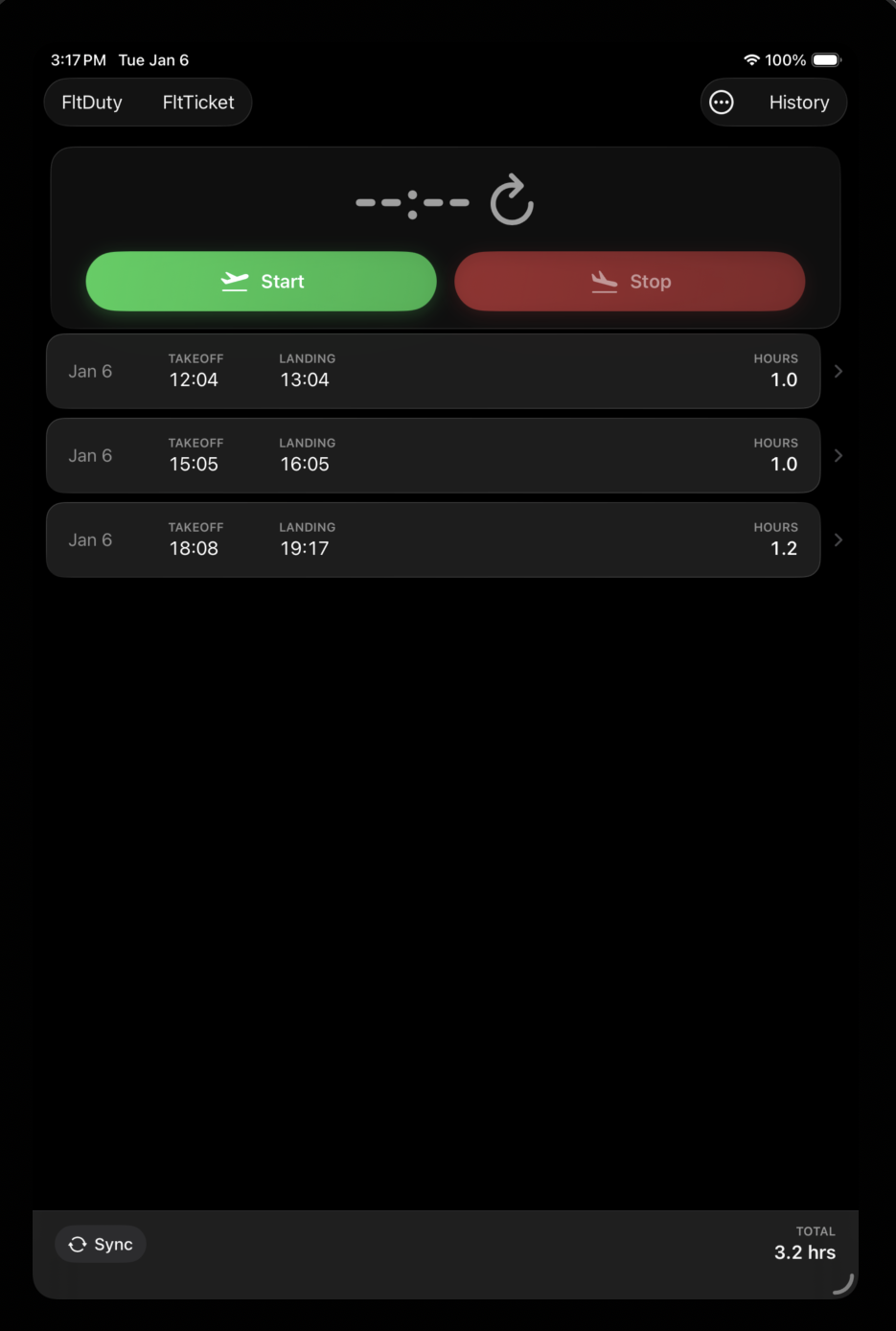
Replace your paper Trip Log

One-tap flight timing for helicopter pilots.
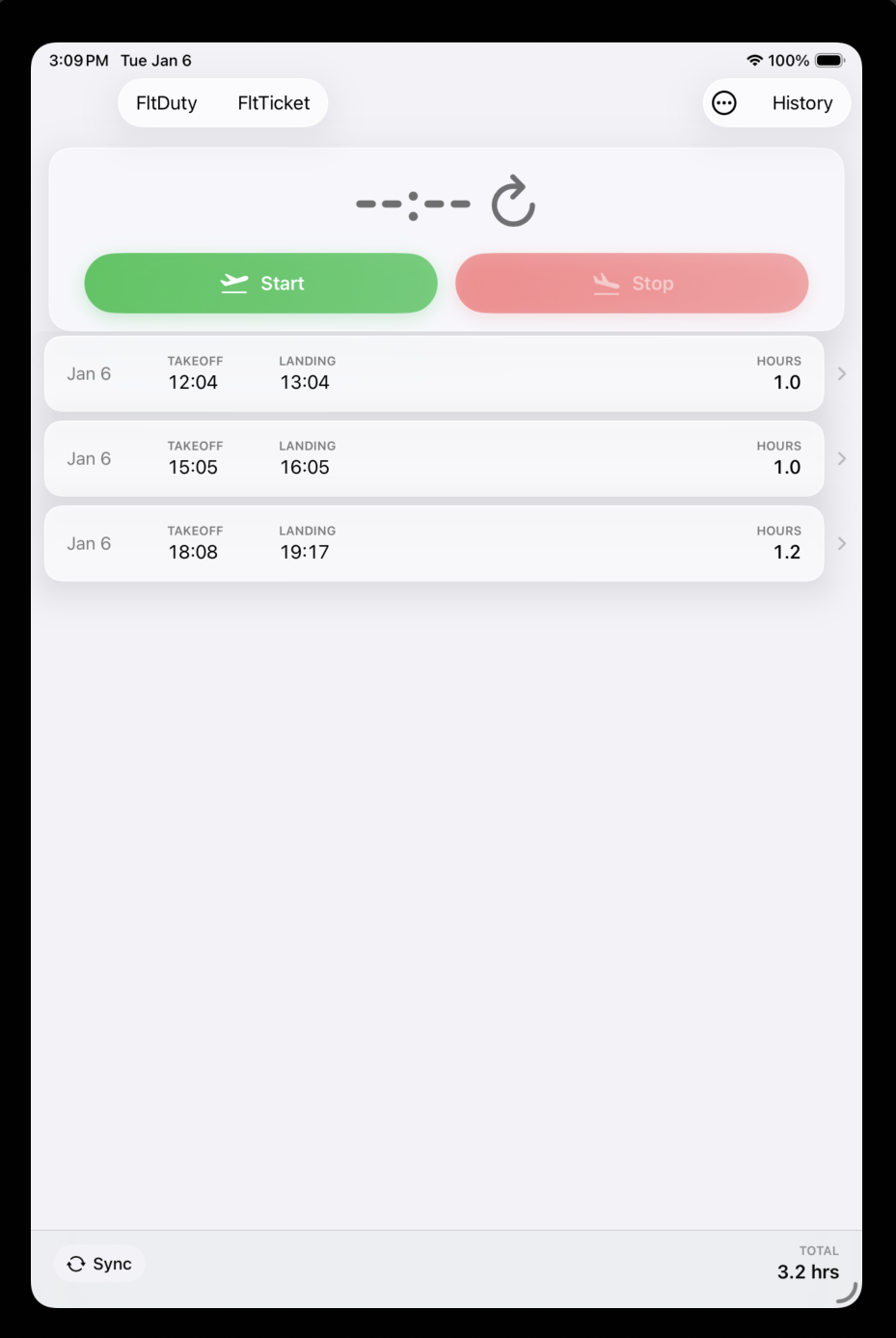
Start when you lift, stop when you land.
Duty times calculated automatically.
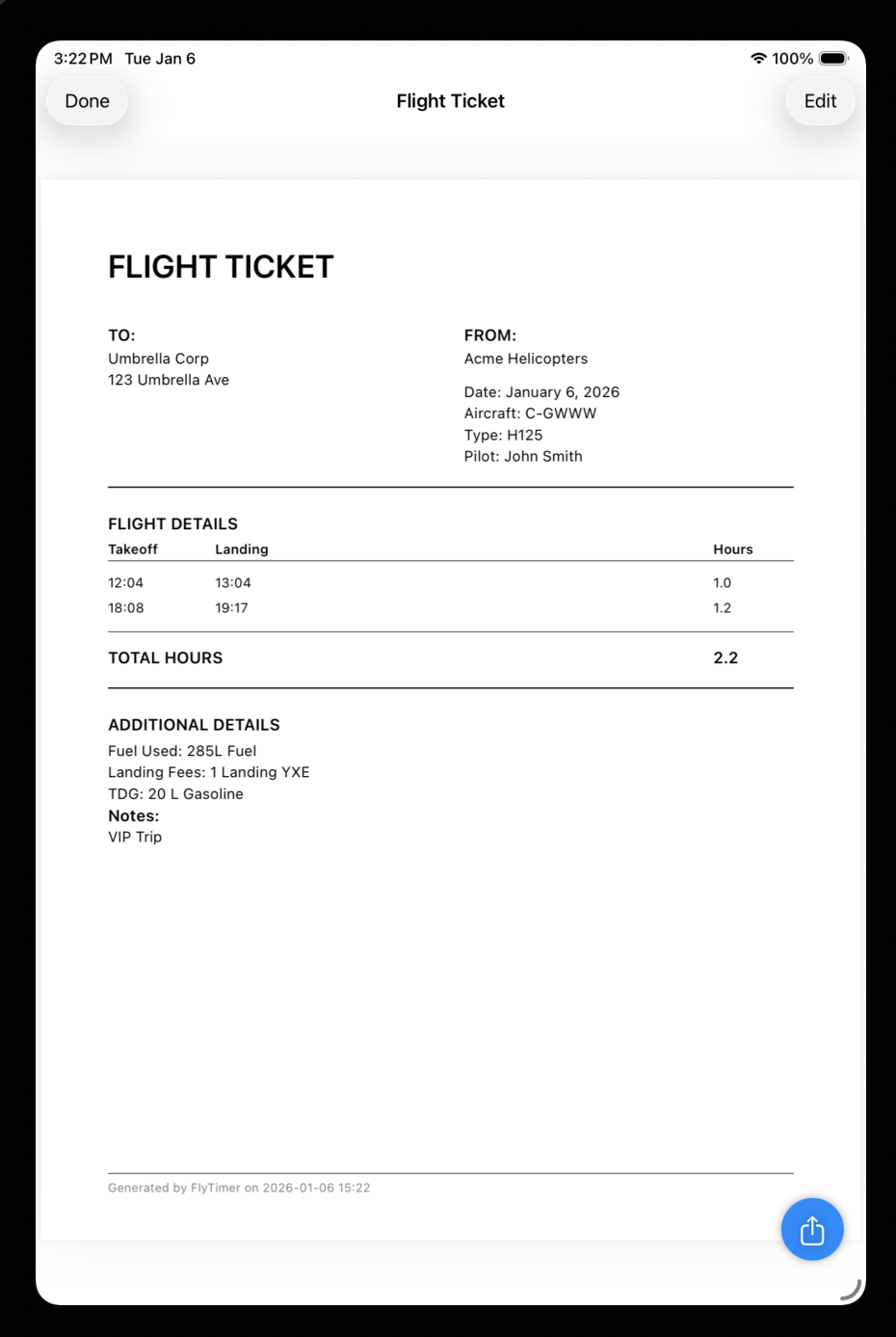
Generate flight tickets on the spot.

📱 Download on TestFlight See Features

Free download • iOS only • No account required
Flight Timer
Flight Timer
Flight Ticket
Flight Ticket
Features

Everything a pilot needs

Built by pilots, for pilots. No paper, no spreadsheets, no guesswork.

One-Tap Timing

Press start when you take off, press stop when you land. Flight hours calculated and rounded automatically.

✏️

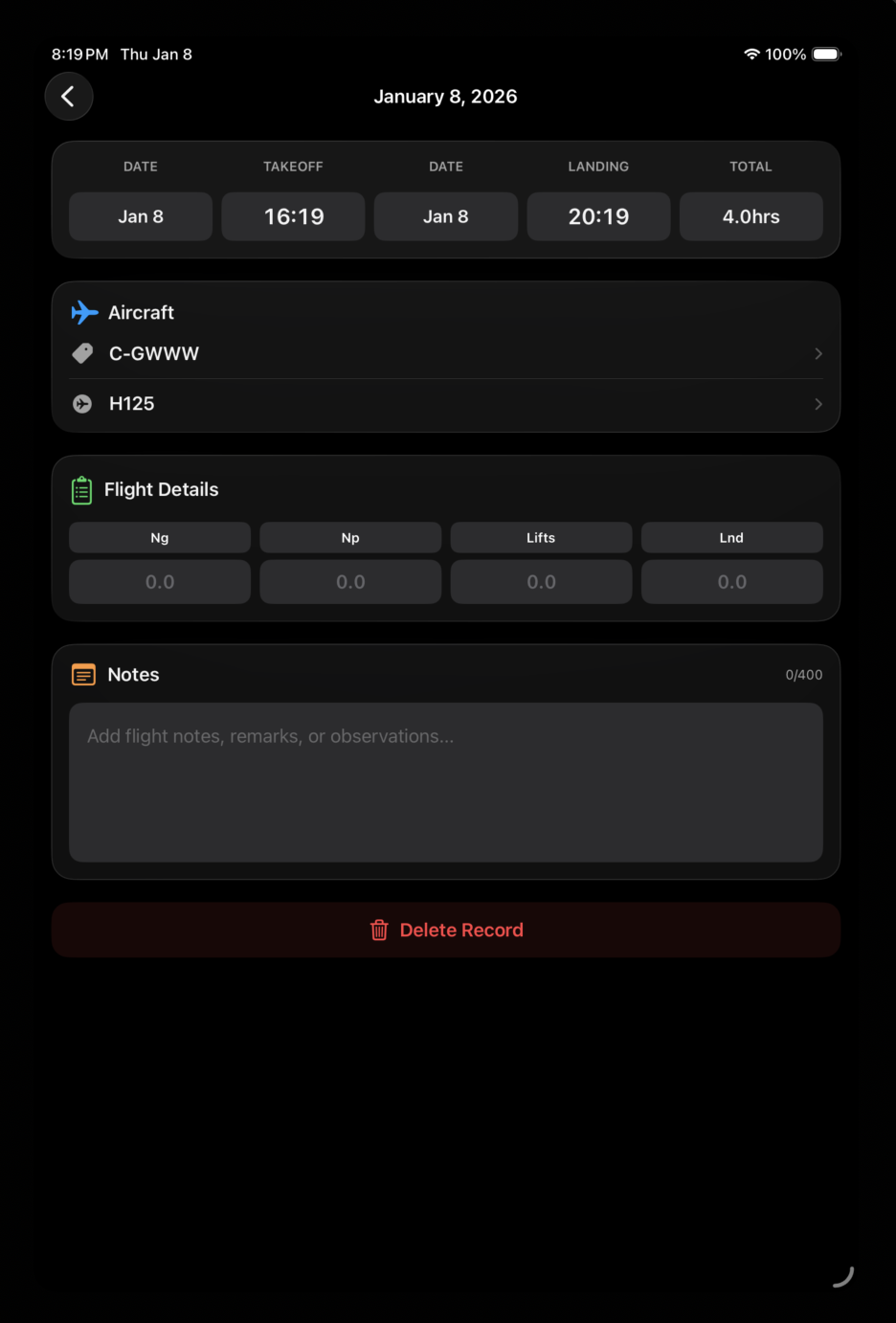
Edit Flight Details

Adjust times, add notes, set aircraft registration and type. Everything is editable after the flight.

📊

Daily Overview

View all flights for any day at a glance. See daily totals for flight time and duty hours instantly.

🕐

Auto Duty Times

Duty time automatically recorded as 30 min before first flight and 30 min after last. Fully editable.

702/703 Compliance

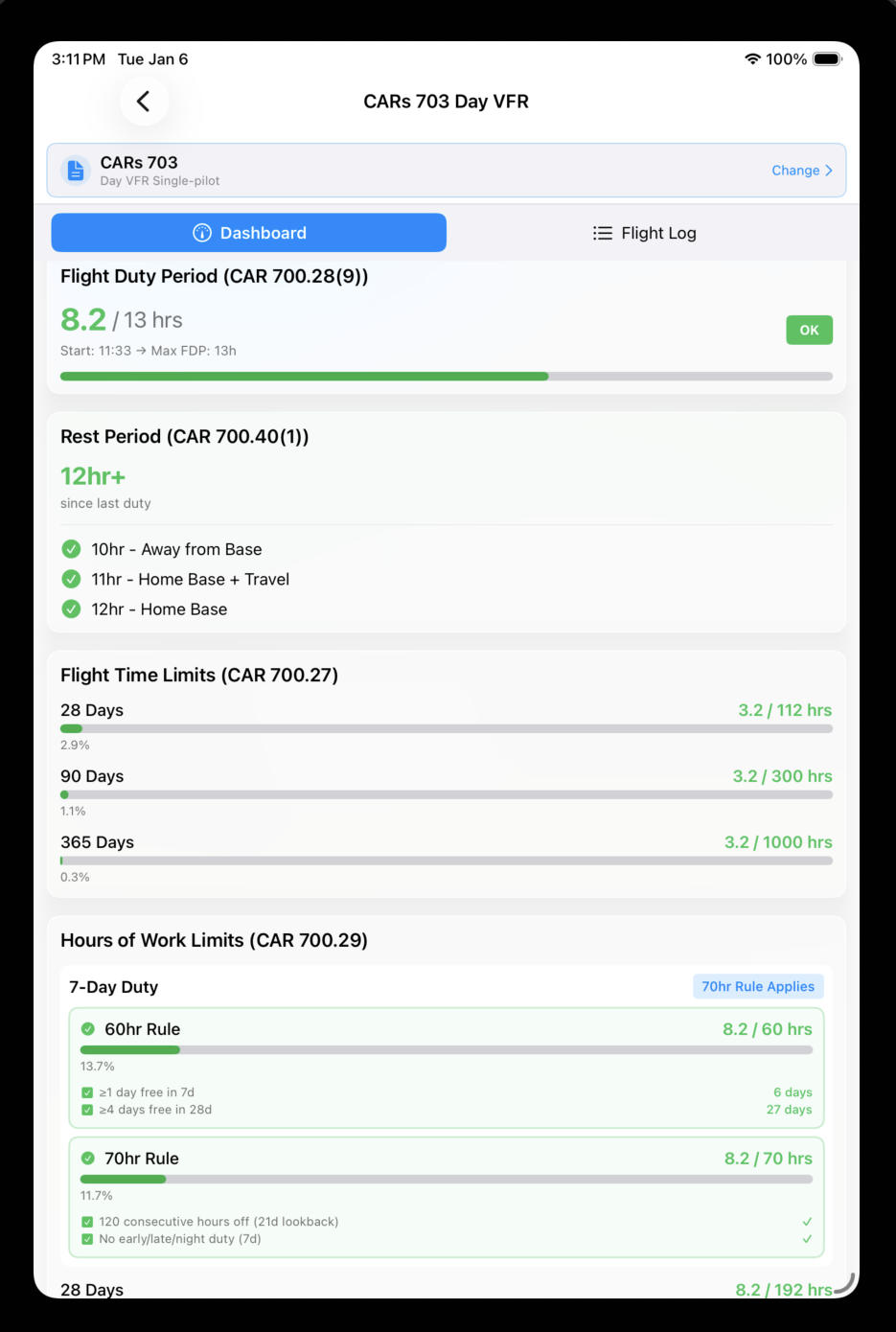
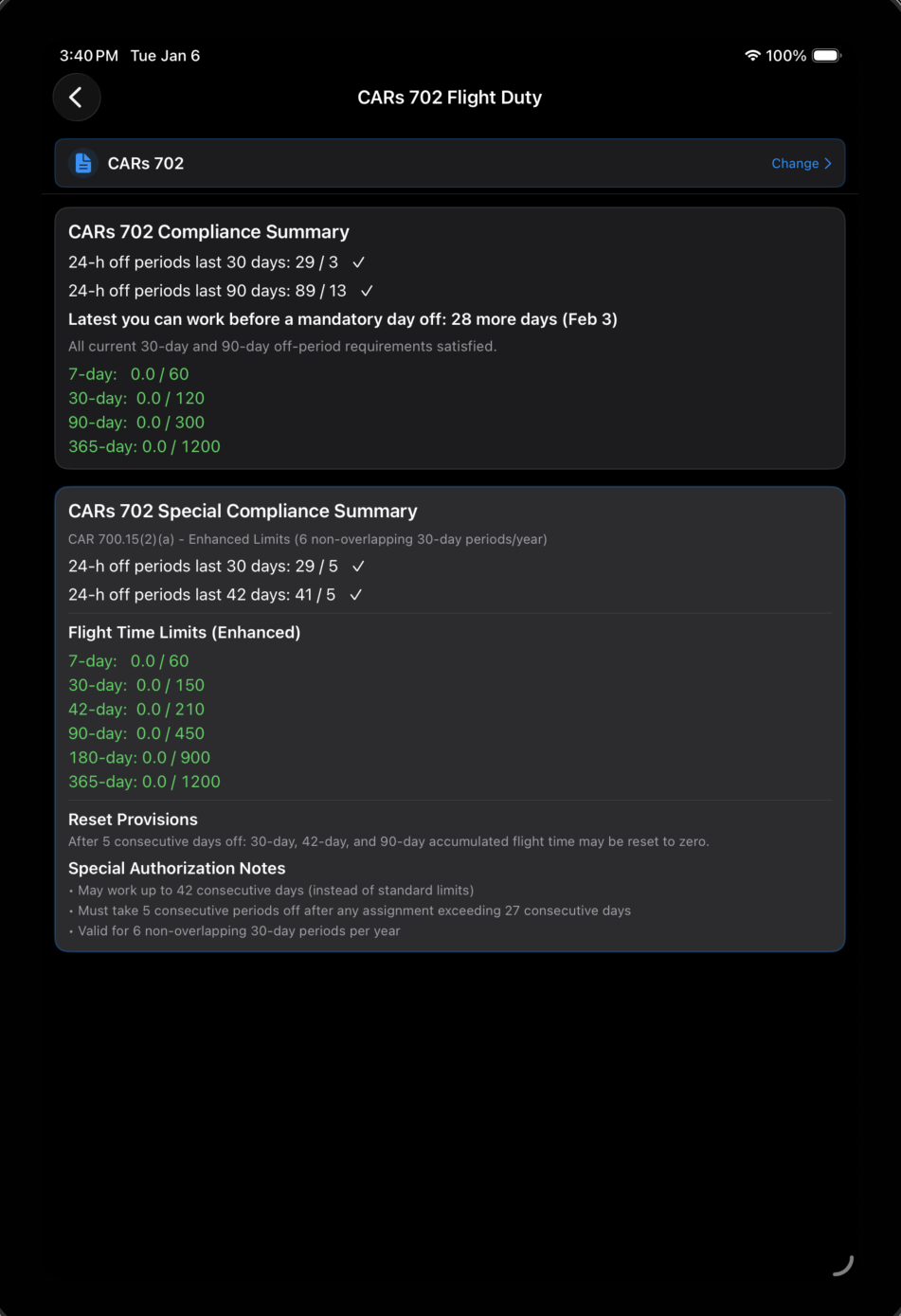
Flight duty time limits calculated automatically per CARs 702/703 regulations. Red/yellow/green status.

🎫

Flight Tickets

Generate PDF flight tickets instantly. Select which flight legs to include. Share or print on the spot.

How It Works

Simple as it should be

From takeoff to invoice-ready ticket in minutes.

1

Start Your Flight

Tap the start button when you take off. The timer begins and your duty period is automatically tracked.

2

Stop When You Land

Tap stop after landing. Flight time is calculated and rounded. Edit times, add notes, or set aircraft details.

3

Review Your Day

See all your flights, total flight time, and duty hours. Adjust duty start/end times if needed.

4

Generate Flight Tickets

Select the flight legs to include, add client details, and generate a professional PDF ticket.

5

Sync to PilotFiles

Working for a company? Manually sync your flight data and tickets back to PilotFiles with one tap.

CARs 702/703 Duty Time Tracking

Automatic calculations based on your flight activity. Always know where you stand.

Flight Time
8 hrs / 24 hrs
Max Duty Period
14 hours
Required Rest
10+ hours
Weekly Limit
60 hrs / 7 days
For Companies

Sync to PilotFiles

Connect FlyTimer to your company's PilotFiles account.

🏢

Works with PilotFiles

If your company uses PilotFiles, you can sync your flight data and tickets directly to their dashboard. Your operator sees all flights, duty times, and tickets automatically organized and ready for invoicing.

Learn About PilotFiles
Get Started

Up and running in 2 minutes

📱 Quick Start Guide

  1. Download FlyTimer

    Get the free app from TestFlight (App Store coming soon).

  2. Add Your Aircraft

    Enter your aircraft registration and type. Add as many as you fly.

  3. Start Flying

    Tap start before takeoff, stop after landing. That's it!

  4. Connect to Your Company (Optional)

    If your company uses PilotFiles, tap the link they provide to connect your app.

Ready to ditch the paper?

Download FlyTimer free and start logging flights the modern way.

App Store release coming soon